 Jul 12, 2022
 GIO GIO
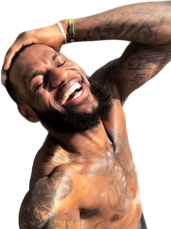
I had to remove his face so it looks like s*** but here's the best I could do right now

- Jul 12, 2022·edited·3 replies
Still getting a hang of this (little dark age)

- Jul 12, 2022·edited·2 replies
magic opn, could have been cleaner. actually takes some creativity to try to make it look good like the ones in op

 Jul 12, 2022·6 replies
 Jul 12, 2022GIO GIO
I had to remove his face so it looks like s*** but here's the best I could do right now
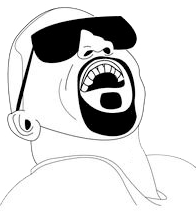 thank you for your effort lol but we definitely still need one on par with the ones on op, hopefully you can do faces soon
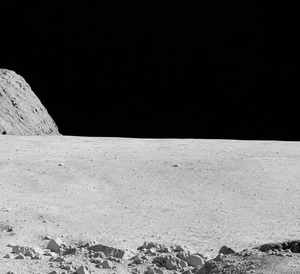 Jul 12, 2022·2 repliesGIO GIO
magic opn, could have been cleaner. actually takes some creativity to try to make it look good like the ones in op
yeah even the ones in op could be better
My fav is the combined three, the first ones I did look kinda lame in comparison
Just gotta play around with it
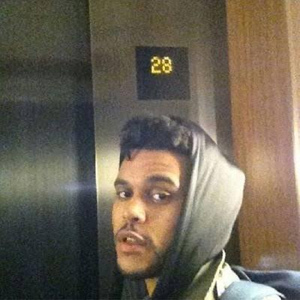 Jul 12, 2022deleteduser2863
Ayo what
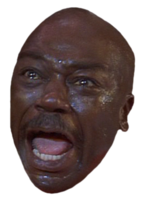
@BGFX
HUH?
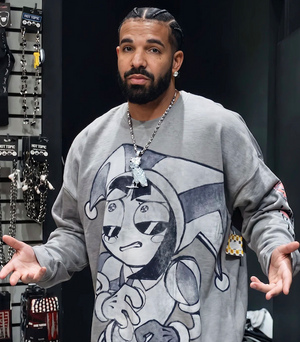 Jul 12, 2022deleteduser2863
Ayo what
@BGFX
 Jul 12, 2022deleteduser2863
Ayo what
@BGFX
- Jul 12, 2022·3 replies
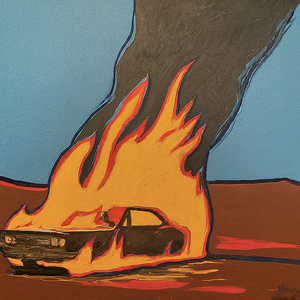
Although this was one of my first and one of my favs
 Jul 12, 2022sco


this the scariest s*** I ever seen lmao humans are done for
- Jul 12, 2022·1 replysco
yeah even the ones in op could be better
My fav is the combined three, the first ones I did look kinda lame in comparison
Just gotta play around with it
yeah after playing around with it a bit the combination you did is actually pretty impressive. I see now what people meant about feeling like you're creating art with it, even though dalle does the hard work. It doesn't just output perfect images on it's own. There's something about iterating through, trying different prompts/ tweaking parts of the image it until it looks better and better. It's like being able to draw if drawing ability isn't a barrier. It's all about what you can come up with in your head
 Jul 12, 2022sco
Although this was one of my first and one of my favs
https://twitter.com/scottinallcaps/status/1545141762548703232
i love you scott
- Jul 12, 2022·1 replyGIO GIO
I had to remove his face so it looks like s*** but here's the best I could do right now
first step blur face and upload to d2 just to remove text
choose the best output. if there’s anything off then use erase tool (just remove the messed up parts, with a small brush size), then try just an empty space as a prompt to regenerate
since it’s a photo you need to take it slower and put extra effort into it. you might wanna try different text prompts. “High quality photo of a man sitting on a chair, digital art” or more complex ones
also when you put each iteration on the canvas put it in a place that makes sense visually. like try to imagine the composition of the output
but imo start with non photorealistic ones and don’t zoom out too much too fast. And make use of the dalle erase tool a lot
- Jul 12, 2022
also cut together different outputs of the same generation in an image editor and then fix any harsh edges from overlaps in Dall e
 Flaphead 🎧Jul 12, 2022GIO GIO
Still getting a hang of this (little dark age)
Holy f***
- Jul 12, 2022sco
first step blur face and upload to d2 just to remove text
choose the best output. if there’s anything off then use erase tool (just remove the messed up parts, with a small brush size), then try just an empty space as a prompt to regenerate
since it’s a photo you need to take it slower and put extra effort into it. you might wanna try different text prompts. “High quality photo of a man sitting on a chair, digital art” or more complex ones
also when you put each iteration on the canvas put it in a place that makes sense visually. like try to imagine the composition of the output
but imo start with non photorealistic ones and don’t zoom out too much too fast. And make use of the dalle erase tool a lot
thanks I got access today so already maxed out on my requests for the day lol definitely starting to see what the process looks like on making this good. gonna try more like this tmo
- Jul 12, 2022GIO GIO
yeah after playing around with it a bit the combination you did is actually pretty impressive. I see now what people meant about feeling like you're creating art with it, even though dalle does the hard work. It doesn't just output perfect images on it's own. There's something about iterating through, trying different prompts/ tweaking parts of the image it until it looks better and better. It's like being able to draw if drawing ability isn't a barrier. It's all about what you can come up with in your head
fr they have such diff looks it took a lot to get the bottom two to blend with the top
Also @_iGOAT yeah i used some text prompts with stuff like “surrealist artwork by Dali” etc which helped a lot w those images
- Jul 12, 2022·1 replyGIO GIO
I had to remove his face so it looks like s*** but here's the best I could do right now
wait did you add house slippers as a text prompt or did it pick that up
- Jul 12, 2022·1 replysco
yeah even the ones in op could be better
My fav is the combined three, the first ones I did look kinda lame in comparison
Just gotta play around with it
how'd you get it to look nice? and how long did it take to get access to the ai?
- Jul 12, 2022·1 replyasr
how'd you get it to look nice? and how long did it take to get access to the ai?
invite took a while I signed up beginning of April. process details above
they’re ramping up invites now though, probably gonna blow up later this month. I just got two extra invites in the last week (tied to email addresses so can’t share em)
check ai art thread in life sxn for resources
- Jul 12, 2022sco
wait did you add house slippers as a text prompt or did it pick that up
Nah I had to add that lmao
 lil ufo 🛸Jul 13, 2022·2 replies
I will never get my invite
 Jul 13, 2022sco
Although this was one of my first and one of my favs
https://twitter.com/scottinallcaps/status/1545141762548703232
love this


